

Reduce Latency with Azure Proximity Placement Groups
Overview:
In most cases when we talk about Azure Architecture, we end up talking about Availability Sets, Availability Zones, or Multi-Region Architectures for redundancy and business continuity. Even though we can be inside the 2ms latency envelope within a specific zone, there are cases where applications are incredibly latency sensitive and even a millisecond of latency can make a difference – this is where Proximity Placement Groups come into play.
Proximity Placement Groups are used as a logical grouping of resources (VMs, VM Scale Sets, or VM Availability Sets) to ensure that the associated Azure compute is physically located close to each other that act as a sort of colocation boundary as compute is deployed. This can take a lot of planning to get right, and you’ll want to carefully consider your requirements beforehand.
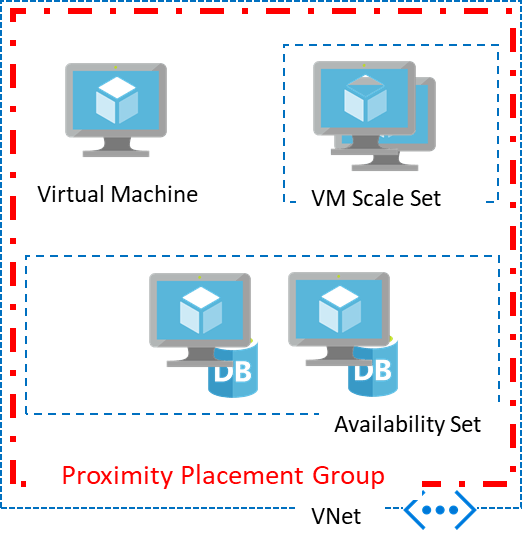
Image source: (https://learn.microsoft.com/en-us/azure/virtual-machines/co-location)
You may be asking, why would I need less than 2ms latency? If you’re asking this question, this solution is likely not for you and will only add unnecessary complexity to your architecture. However, I’ve worked with customers such as manufacturing companies that have MES (Manufacturing Execution System) solutions, and other applications which are very chatty with databases that need this type of latency, or other customers that have clusters that are doing in-memory computation – in both scenarios I’ve seen requirements in the sub-millisecond range.
Testing:
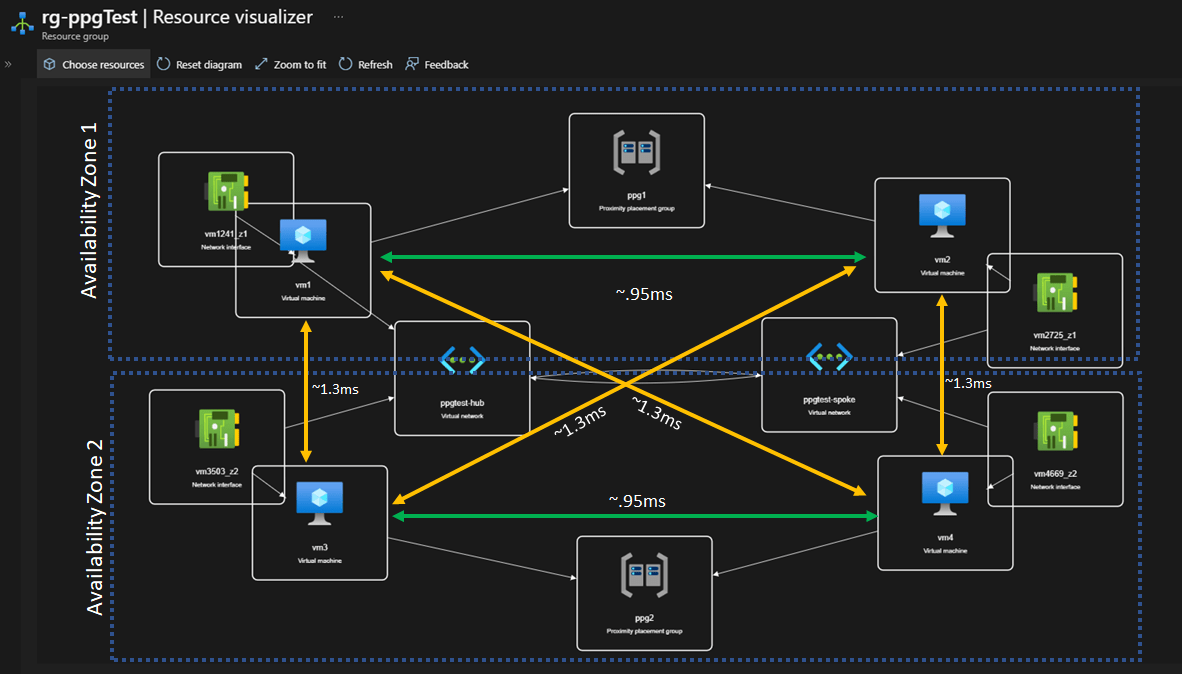
To test the efficacy of Proximity Placement Groups, I’ve created a lab environment.

You will note that in this lab environment I have 4 Machines, 2 Availability Zones, 2 Virtual networks (which are peered together), and 1 of each of the machines in each of the Virtual Networks shares a Proximity Placement Group with a VM in the other Virtual Network. The reason I set it up like this is to show that even if you’re outside of the Virtual Network, the Proximity Placement Groups can still have a significant impact in reducing latency.
The VM configurations in my tests were as follows:
- 2x Ubuntu 22.04, gen 2
- Standard D2s_v4 (2 vCPU, 8GB RAM, Premium SSD)
- Accelerated Networking Enabled
- East US
Test #1:
The first test was simply using ping.
ICMP not within the Proximity Placement Group: (avg. ~1.3ms RTT)
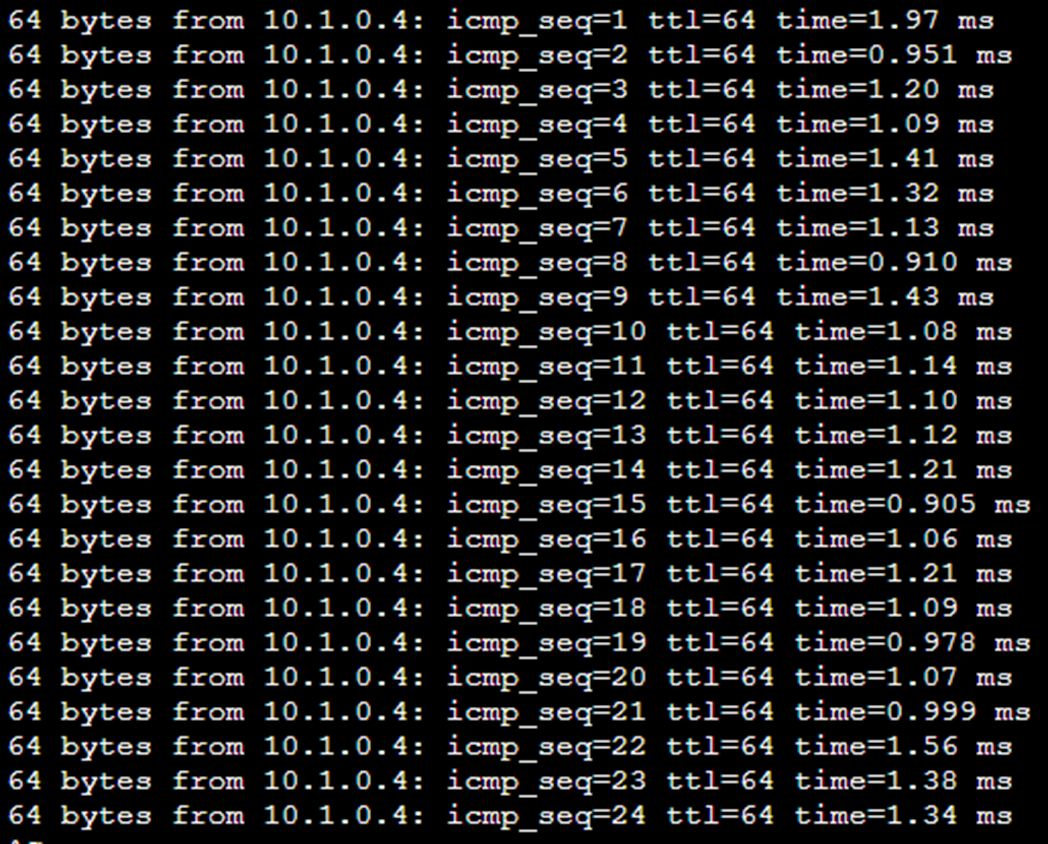
ICMP within Proximity Placement Group: (avg. ~.86ms RTT)

The result of the ICMP test showed the highest latency between VMs not pinned together was 1.97 ms, and the lowest was .91 ms but averaged about 1.3 ms. For VMs that were pinned together, the highest latency was 1.14 ms and the low was .76 ms and averaged about .95 ms.
The net result was that regardless of the Virtual Network Configuration, the Proximity Placement Groups reduced ICMP RTT by roughly 27%.
Test #2:
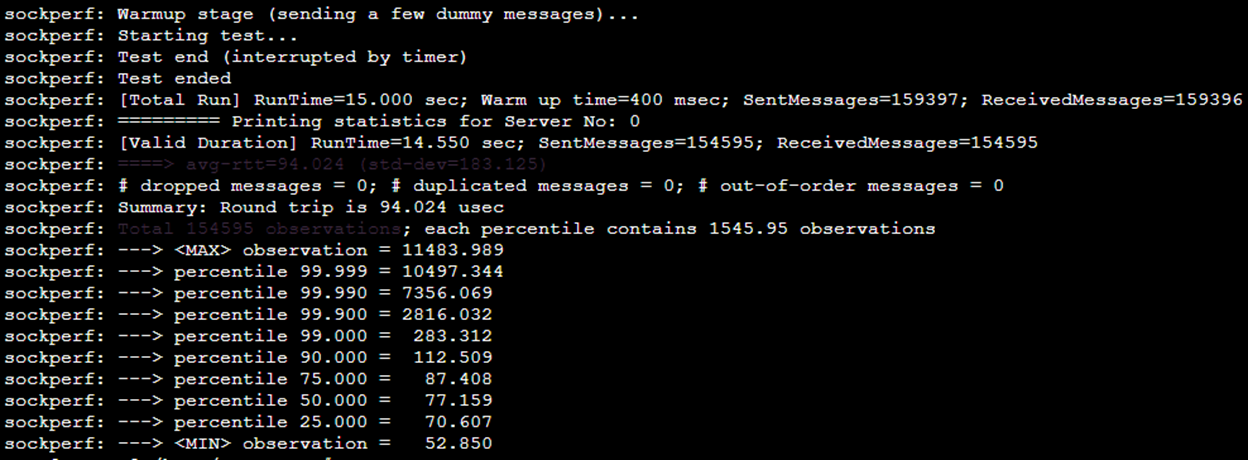
For the second test, I used SockPerf, a high-performance network benchmarking tool that bypasses the CPU by using zero-copy techniques and direct NIC access. Since these VMs have Accelerated Networking enabled, SockPerf leverages the Data Plane Development Kit (DPDK) or RDMA (Remote Direct Memory Access) to minimize kernel overhead and measure true network latency.
Normal usage: (avg. 94 usec)
Deployed into a Proximity Placement Group: (avg. 63 usec)

I’ve omitted the redundant tests that I ran across all combinations of the machines, but they were largely similar to the IMCP tests – anything not pinned together was about the same latency and anything pinned together was about the same latency.
Using SockPerf I measured an average of 94 microseconds in a standard configuration. Wow! I must say this was impressive, the Accelerated Networking capabilities in Azure make a huge difference – this is phenomenal.
With machines that were pinned together, using SockPerf, I measured on average 63 microseconds.
The net result was that regardless of the Virtual Network Configuration, the Proximity Placement Groups reduced RTT by roughly 33%.
Additional Considerations:
- While I didn’t specifically test the difference between using and not using Accelerated Networking (which enables SR-IOV)– this should be a given for any latency-sensitive application.
- I also look forward to testing with the upcoming first-party component of Azure Boost – the Microsoft Azure Network Adapter “MANA”).
- Azure has RDMA capable VMs, which depending on your workload could also help with overall latency of processing between machines in a cluster.
- Azure has VMs that support InfiniBand, which are primarily for HPC use cases, but can also significantly reduce latency.
- Microsoft provides guidance on further tuning TCP/IP for performance that can be referenced here.
Conclusion:
In testing, Proximity Placement Group can increase performance by lowering latency by roughly 30%.
Not all workloads need Proximity Placement Groups, in fact most do not. If you don’t need to use one, don’t, it will only complicate your deployment. However, if your workload needs or would benefit from the absolute lowest latency between machines, this is the solution for you.
I hope I’ve made your day a little bit easier!
If you have any questions, comments, or suggestions for future blog posts please feel free to comment below or reach out on LinkedIn.
