

As I went to upgrade an evaluation version of System Center Configuration Manager 2012 to a full version, I noticed unlike Operations Manager — you have to do this through the setup/install interface. Upon first search people were saying just run the setup again and choose “Perform site maintenance or reset the site”, though it was greyed out. Here’s the quick tip to remedy that.
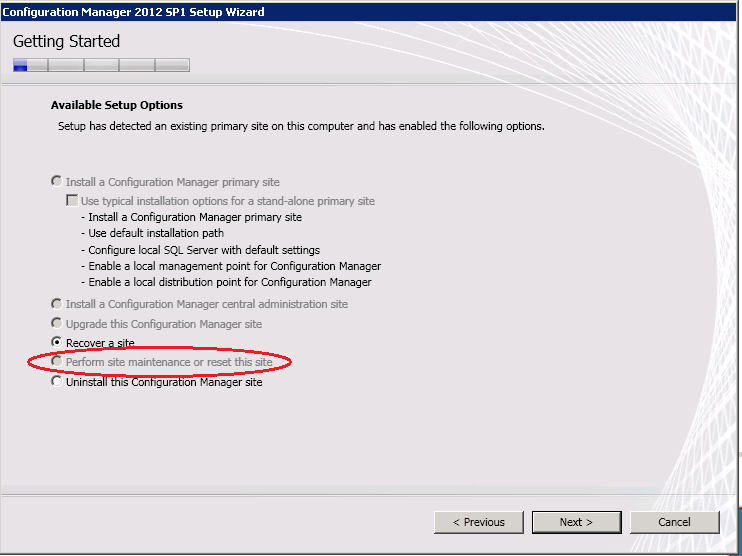
Here, I’m just running the setup again and choosing Install, and the option is greyed out to perform site maintenance.
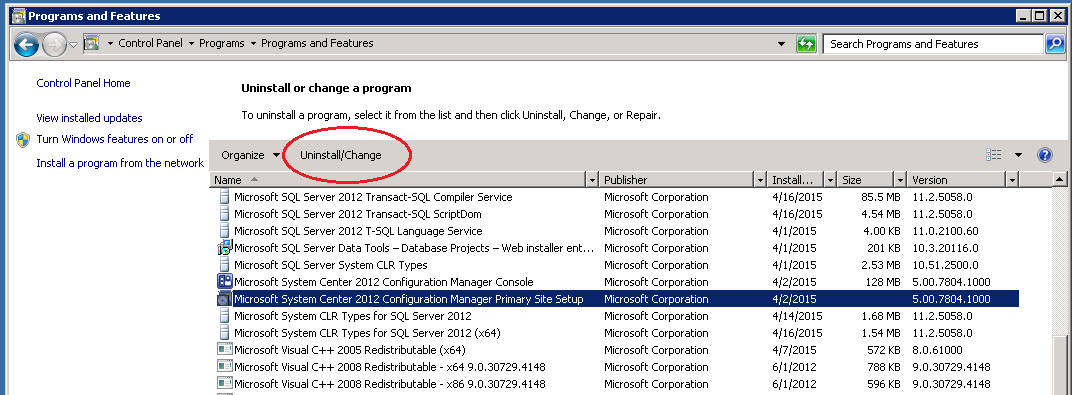
So here’s what you do instead. Close the setup window, and go open Programs and Features in your Control Panel. Find “Microsoft System Center 2012 Configuration Manager Primary Site Setup” (this may be different if the top of your hierarchy is a CAS), and click “Uninstall/Change”.
Then, there it is — not greyed out!
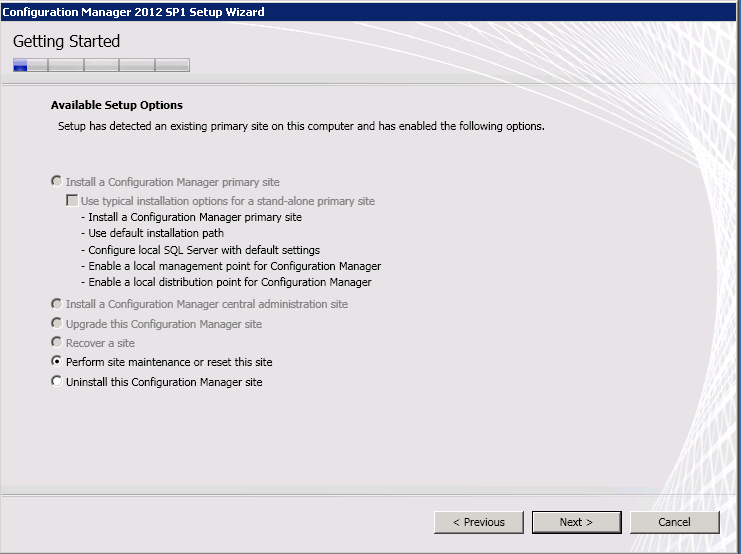
Click next and you’re able to do what you need to do.
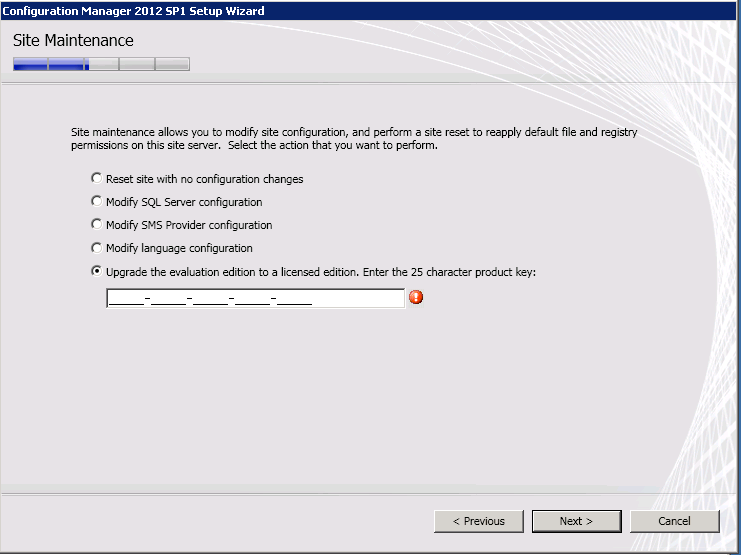
At this point you can do a few things.
- Reset your site with no configuration changes
- Modify SQL Server Configuration
- Modify SMS Provider Configuration
- Modify Language Configuration
- Upgrade Evaluation Edition to a Licensed Edition
I just needed to upgrade my site to a licensed edition, and this worked like a charm.
I hope I’ve made your day at least a little easier!